> For the complete documentation index, see [llms.txt](https://docs.konnekt.io/llms.txt). Markdown versions of documentation pages are available by appending `.md` to page URLs; this page is available as [Markdown](https://docs.konnekt.io/de/troubleshooting/add-konnekt-paths-as-trusted-sites.md).
# KONNEKT-Pfade als vertrauenswürdige Sites hinzufügen
## Situation
Benutzer können Dateien, z. B. Excel-Makrodateien, nicht öffnen, indem sie in KONNEKT doppelt darauf klicken.
## Problem
Alle SharePoint-URLs und der entsprechende in KONNEKT verwendete UNC-Pfad müssen als vertrauenswürdige Sites festgelegt werden
## Lösung
Diese können festgelegt werden in:
* Internetoptionen in Edge oder Internet Explorer (für Windows-10-Benutzer)
* Trust Center in einer Office-App Ihrer Wahl
* Oder über eine Intune-Richtlinie
### Intune
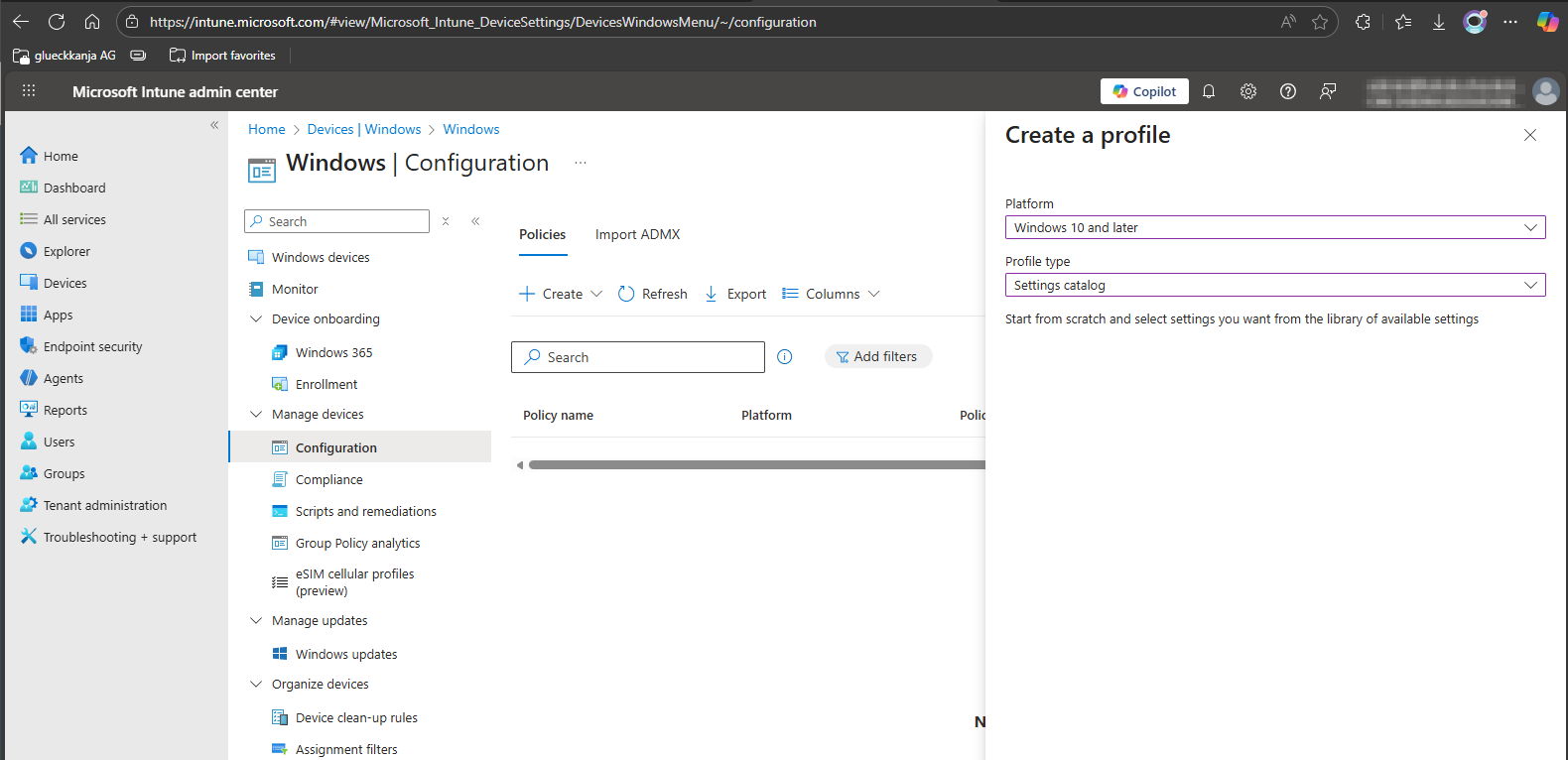
* Neues Profil für "Windows 10 und neuer" erstellen
* Profiltyp "Einstellungskatalog"
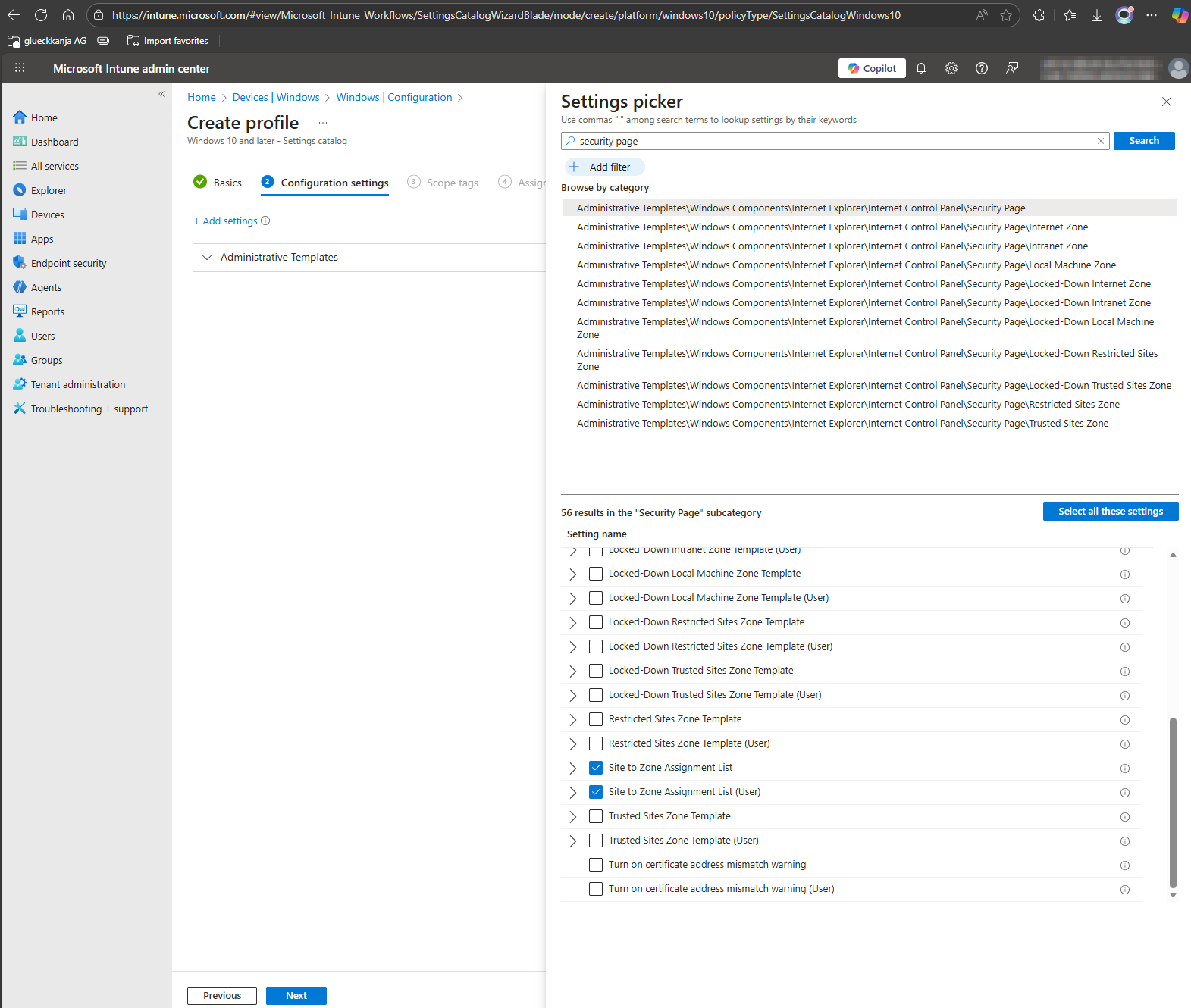
* Nach "Sicherheitsseiten" suchen
* Wählen Sie die folgende Kategorie \\\\
```
Windows-Komponenten > Internet Explorer > Internetsteuerungsfeld > Sicherheitsseite
```
* Verwenden Sie entweder
* Liste für Site-zu-Zone-Zuordnung
* Liste für Site-zu-Zone-Zuordnung (Benutzer)
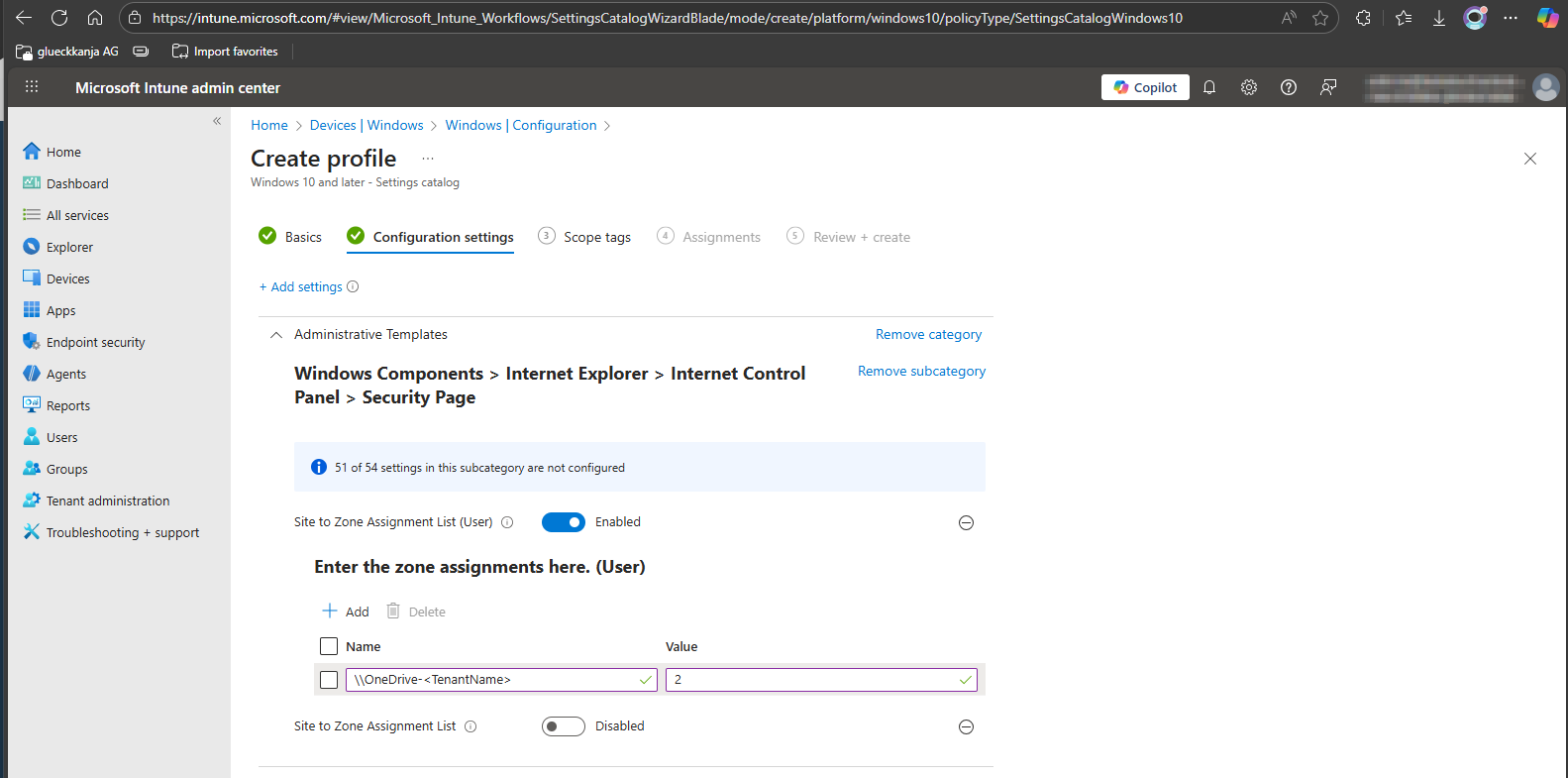
* Alle drei Pfade festlegen - UNC und URL
```
".sharepoint.com" = "2",
"-my.sharepoint.com" = "2",
"\\OneDrive-" = "2"
```
{% hint style="info" %}
TenantName ist definiert durch den anfänglichen oder standardmäßigen Tenant-Namen, der festgelegt ist in[ Microsofts Admin Center](https://admin.cloud.microsoft/?#/Domains). Dies hängt davon ab, ob "[EnhancedAuthentication](/de/configuration/system-settings/enhanced-authentication.md)" aktiviert ist.
{% endhint %}
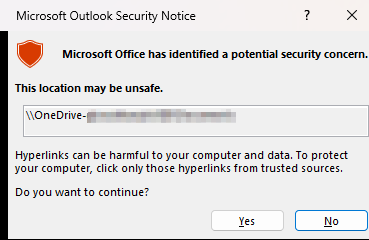
Die Einrichtung verhindert nicht, dass Outlook eine Sicherheitsmeldung anzeigt.
Anweisungen zum Deaktivieren dieses Dialogfelds finden Sie im Artikel [*Hyperlink-Warnmeldungen in Office-Programmen aktivieren oder deaktivieren*](https://learn.microsoft.com/en-us/troubleshoot/microsoft-365-apps/office-suite-issues/enable-disable-hyperlink-warning#how-to-globally-enable-or-disable-hyperlink-warnings).
HKEY\_CURRENT\_USER\\\software\\\policies\\\microsoft\\\office\\\16.0\\\common\\\security\
DWORD: DisableHyperlinkWarning\
Wert: 1
{% hint style="warning" %}
Diese Problemumgehung macht einen Computer oder ein Netzwerk anfälliger für Angriffe durch böswillige Benutzer oder durch Schadsoftware wie Viren.
{% endhint %}
---
# Agent Instructions
This documentation is published with GitBook. GitBook is the documentation platform designed so that both humans and AI agents can read, navigate, and reason over technical content effectively. Learn more at gitbook.com.
## Querying This Documentation
If you need additional information that is not directly available in this page, you can query the documentation by asking a question.
Perform an HTTP GET request on the following URL with the `ask` and `goal` query parameters:
```
GET https://docs.konnekt.io/de/troubleshooting/add-konnekt-paths-as-trusted-sites.md?ask=&goal=
```
`ask` is the immediate question: it should be specific, self-contained, and written in natural language.
`goal` is what the user is ultimately trying to achieve, the reason they need the answer. Sharing it helps GitBook give you a better, more relevant answer. A goal is most helpful when it describes the outcome the user wants rather than restating the question. For example, with `ask=how do I create an API token`, a goal like `automate deployments from our CI pipeline` lets GitBook tailor the answer to that use case.
The response will contain a direct answer to the question and relevant excerpts and sources from the documentation.
Use this mechanism when the answer is not explicitly present in the current page, you need clarification or additional context, or you want to retrieve related documentation sections.